You're here:
What Is Invoice Automation? How It Works and Who Needs It
In this article
- What is invoice automation?
- Invoices you receive vs. invoices you send
- How invoice automation works
- What invoice automation actually saves you
- What makes an automated invoice legally valid
- E-invoicing is making invoice automation mandatory
- What to look for in invoice automation software
- Where Quaderno fits
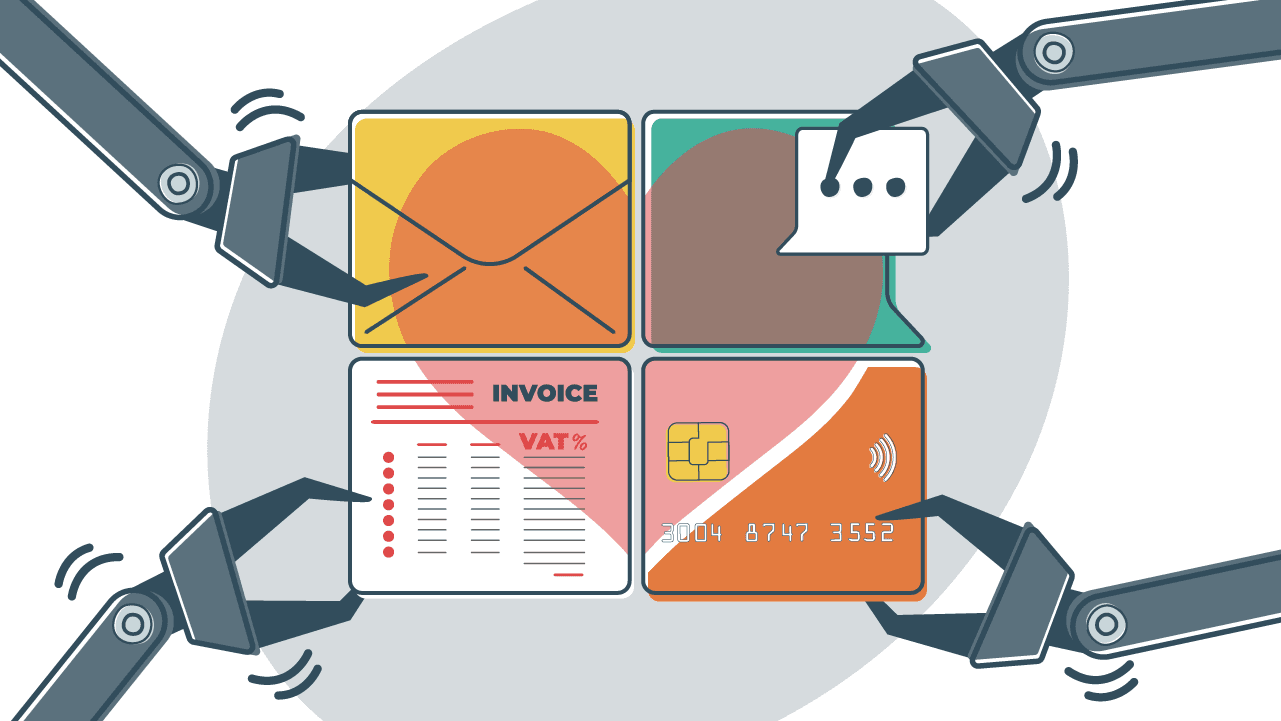
You sold to customers in six countries last month. Every one of those sales needed an invoice with the right tax rate, the right mandatory fields, and the right currency. You are still producing them by hand, or half-producing them from a payment processor export that leaves out the fields your accountant keeps asking about.
Now picture the other version. Every sale generates a correct, tax-compliant invoice the moment the payment clears, in the customer's language and currency, stored and searchable, with nobody touching a spreadsheet.
That is what invoice automation does. The catch is that the term covers two very different jobs, and almost every guide explains only one of them.
Short answer: Invoice automation is software that creates, sends, receives, validates and records invoices without manual data entry. It covers both the invoices you receive and the invoices you issue.
This post covers both directions: how automated invoice processing works on the buying side, how automated invoicing works on the selling side, and what the software has to get right for the documents it produces to hold up legally. It is written for founders and online sellers, not for accounts payable departments.
What is invoice automation?
At its simplest, invoice automation hands each invoice to software instead of a person: generating it, delivering it, taking one in from a supplier, checking it is correct, and keeping the record. Three specific chores disappear. You stop typing information from one system into another, you stop checking the numbers by hand, and you stop wondering where you filed the result.
The term gets used loosely, and two narrower ones sit underneath it:
- Automated invoice processing is the capture-and-approve subset. It reads incoming invoices, extracts the data, and routes them for sign-off. You will also see it called invoice processing automation, or sold as part of a wider document processing platform.
- AP automation is the full accounts payable lifecycle, from the invoice arriving to the supplier being paid. Automated invoice processing is one stage inside it.
Both of those describe invoices coming in. Neither describes invoices going out, which is the half most online businesses actually need.
Invoice automation software is not somewhere you go to type. It sits between the systems you already run, your store, your payment processor, your accounting ledger, and moves invoice data between them so that no human has to.
Which of those jobs you need depends on a question the guides rarely ask: are the invoices arriving, or leaving?
Invoices you receive vs. invoices you send
There are two directions, and they are not variations on one problem. They are two problems.
- Invoices arriving is an accounts payable job. Supplier invoices land as PDFs and email attachments in a hundred different layouts. The work is reading them, matching them against purchase orders, routing approvals, and paying on time.
- Invoices leaving is an accounts receivable job. You make a sale. The work is producing a correct invoice, applying the right tax for that customer, delivering it, and keeping the record.
The inbound reading dominates the category, and there is a straightforward reason for it. Enterprise software grew up around accounts payable departments, so that is where the tooling and the vocabulary came from. Search for invoice automation software today and you will mostly find products built to process invoices written by somebody else.
For an online seller, that is a genuine trap. You almost certainly have the outbound problem. Most of what is marketed to you solves the inbound one.
There is a quick way to tell them apart. If the product leads with OCR and document capture, it was built for accounts payable. It has to read invoices it did not write. Software built for the outbound side never needs OCR at all, because it already holds the transaction data.
| Dimension | Invoices in (accounts payable) | Invoices out (accounts receivable) |
|---|---|---|
| Who writes the invoice | Your supplier | You |
| Where the data comes from | A document you have to read | Your own sale record |
| Core technology | OCR, machine learning, matching | Tax rules, templates, delivery |
| What "correct" means | Matches the purchase order | Matches the law where your customer is |
| Who buys it | Finance and AP teams | Founders, sellers, finance leads |
| Main risk if it goes wrong | Overpaying or paying twice | Issuing an invalid invoice |
We have watched founders buy an OCR-heavy accounts payable platform to fix their customer invoicing, then discover months later that it was never designed to issue anything. The demo looked right. The category was wrong.
How invoice automation works
The mechanics differ by direction, so here are both.
Inbound: automated invoice processing
- Capture. Invoices arrive by email, vendor portal or post, and the invoice processing system pulls them into one place.
- Data extraction. OCR converts the document into machine-readable text, and machine learning pulls out the line items, dates and totals. This stage is what vendors mean by intelligent document processing. Anything the model is unsure about is routed to a person.
- Validation and matching. The extracted invoice data gets checked against purchase orders and delivery notes.
- Exception handling. Mismatches are flagged rather than paid.
- Approval routing. The invoice goes to whoever needs to sign it off, based on amount, department or region.
- Payment and ledger sync. Most invoice processing software hands off to an ERP at this point.
Outbound: automated invoicing
- A transaction fires from your store or payment processor.
- Tax is determined for that specific customer, in that specific place.
- The invoice is generated with every field that regime requires.
- It is delivered, localized to the customer's language and currency.
- It is stored and reconciled against your ledger.
The contrast is worth sitting with, because it tells you where each approach gets harder.
Inbound automation is a reading problem. Outbound automation is a rules problem.
Reading gets easier every year as the models improve. Rules get harder every time you start selling somewhere new.
What invoice automation actually saves you
Time is the obvious one, and the argument is about slope rather than volume. Manual invoice processing scales in a straight line with your sales, because every invoice costs the same few minutes of manual data entry and checking. Invoice automation does not scale that way. At fifty invoices a month you can absorb the work. At five thousand you cannot, and the month you cross that line is not the month to start shopping for software.
Errors matter more than they first appear. A wrong rate or a missing field is not only an accounting nuisance, it can make the invoice invalid, which is the subject of the next section. Automated checks catch the errors a tired person misses at four in the afternoon.
Cash flow improves for an unglamorous reason: invoices that go out immediately get paid sooner than invoices waiting for someone to find an hour. The same speed works in reverse on the inbound side, where finance teams that can approve an invoice in hours rather than weeks become eligible for early payment discounts they would otherwise miss.
Then there is the audit case. A complete, consistent, searchable record is a very different experience from a folder of PDFs when a tax authority starts asking questions.
The European Commission has put numbers on the compliance side of this, in its VAT in the Digital Age package. Moving to digital reporting and e-invoicing is expected to:
- Bring down administrative and compliance costs for EU traders by over €4.1 billion per year over the next ten years.
- Reduce VAT fraud by up to €11 billion a year, from the shift to e-invoicing alone.
All of that assumes something the rest of the category takes for granted: that the invoices coming out the other end are valid.
What makes an automated invoice legally valid
An invoice is not a receipt, and it is not a formality. It is a legal document, and tax law is specific about what has to appear on it. Automation that produces a fast, tidy invoice with a mandatory field missing has not solved your problem. It has automated a compliance failure and made it happen faster.
The EU sets out how prescriptive this gets. Under the European Commission's invoicing rules, a full VAT invoice must contain:
- A date of issue
- A unique sequential number
- The supplier's full name and address
- The customer's full name and address
- The customer's VAT identification number, where they are liable for the tax
- The supplier's VAT identification number
- A description and quantity of what was supplied
- The unit price excluding tax
- The date of the transaction, where it differs from the invoice date
- The VAT rate applied and the amount payable
- A breakdown of VAT by rate or exemption
Those same rules confirm that electronic invoices are equivalent to paper invoices. A simplified invoice exists for lower-value transactions and needs far less, but its scope is narrower than most sellers assume.
That list is not universal. Requirements shift across VAT, GST and US sales tax regimes: some want a buyer identifier above a certain transaction value and others do not, some require specific wording for exempt or reverse-charge supplies, and thresholds change what you need to include. If you want the specifics for a particular country or state, our country guides set them out one place at a time.
The consequence lands closer to home than most people expect. An invalid invoice can cost your customer their input tax deduction, which very quickly becomes your problem, and it can cost you directly on audit. For a fuller breakdown of the fields and formats, see our guide to what a tax invoice must contain.
Getting those fields right used to be a conversation between you and your accountant. Increasingly it is a conversation between you and a tax authority, in real time.
E-invoicing is making invoice automation mandatory
An e-invoice is a structured file that a machine can read and validate. A PDF emailed to a customer is not an e-invoice. It is a picture of one. That distinction sounds pedantic until a tax authority rejects your submission.
The mechanism behind the mandates is continuous transaction controls: instead of reporting your sales in a periodic return, invoice data reaches the tax authority at or very near the moment of the transaction.
The EU timeline is published, and it is set out in the Commission's ViDA package.
| Date | What changes |
|---|---|
| 11 March 2025 | The VAT in the Digital Age package is adopted |
| 14 April 2025 | It enters into force. Member States can now impose domestic e-invoicing mandates without EU derogation |
| 1 July 2030 | Digital Reporting Requirements apply to cross-border B2B transactions, and e-invoicing becomes the default method of invoicing |
| 1 January 2035 | Member States running their own real-time reporting systems must align to the EU model |
Read that operationally rather than legally. Once invoice data flows to a tax authority automatically, manual invoicing stops being merely slow and becomes unworkable, because the invoice has to be structured correctly before it leaves your system. The mandate is an invoice automation mandate wearing different clothes.
Countries are adopting these rules on their own schedules, and most of the resulting networks route over Peppol. Rather than list them here, we keep separate explainers on what e-invoicing actually is, how the Peppol network works, and the security and retention side of e-invoicing compliance.
What to look for in invoice automation software
Decide the direction before you compare anything else. Buying invoice processing software for an outbound problem is the single most expensive mistake in this category. Everything below assumes you are issuing invoices, because that is what selling online requires.
- Tax determination. Does it work out the correct rate for the customer's location automatically, or does it expect you to maintain a rate table by hand?
- Mandatory fields by regime. Does the invoice adapt to where your customer is, or is there one fixed template for everyone?
- Multi-currency and multi-language. Can the customer actually read the invoice, and is it denominated in something that makes sense to them?
- Every sales channel. One payment processor is easy. Most sellers run several, and the invoices need to be consistent across all of them.
- E-invoicing readiness. Can it produce structured formats and connect to the networks that mandates require, or is that a migration you will pay for later?
- Recurring and one-off billing. Subscriptions, upgrades, prorations and refunds all generate documents.
- Credit notes and corrections. An invoice you cannot properly reverse is a liability. Here is how credit notes work and when you need one.
- Retention and export. Can you produce what an audit asks for, in the format it asks for?
One criterion is missing from every competing checklist we looked at, so it is worth stating plainly.
Most invoice automation software will cheerfully generate a non-compliant invoice, because it was never built to know tax law. It was built to move documents.
Where Quaderno fits
Quaderno automates the outbound side, the invoices you send, with tax compliance as the core of the product rather than a setting inside it.
In practice that means:
- Calculating the correct tax at the point of sale.
- Issuing a compliant invoice or receipt for every transaction.
- Localizing the language and currency for the customer receiving it.
- Doing all of that across every connected channel instead of one.
The records stay in one place for reporting and filing.
On e-invoicing, we track mandates as they come into force and build to each government's specification, so the deadline is our problem rather than yours. You can see our e-invoicing solution and the platforms and processors we connect to. If your billing is subscription-based, we have a separate walkthrough on setting up automatic recurring billing.
If the invoices you send are the ones you need to automate, the hard part was never sending them. It is getting the tax right on every single one. Our guide to what a tax invoice must contain works through the required fields one at a time, so you can check your current invoices against the list before you change anything.
Note: At Quaderno we love providing helpful information and best practices about taxes, but we are not certified tax advisors. For further help, or if you are ever in doubt, please consult a professional tax advisor or the tax authorities.
Frequently Asked Questions
What is invoice automation?
Invoice automation is software that creates, sends, receives, validates and records invoices without manual data entry. It covers two directions: processing the invoices your suppliers send you, and issuing the invoices you send to customers. Most tools marketed under the term handle only the first.
What is the difference between invoice automation and accounts payable automation?
Accounts payable automation handles the invoices you receive from suppliers, from capture through to payment. Invoice automation is the broader term and also covers the invoices you issue to your own customers. The distinction matters because the two problems need completely different software.
Is an automated invoice legally valid?
Yes, as long as it carries the particulars the relevant tax regime requires. Automation changes how an invoice is produced, not what it has to contain. Under EU rules, electronic invoices are treated as equivalent to paper ones.
What information must an invoice include?
Requirements differ by tax regime, so there is no single universal list. A full VAT invoice in the EU needs a date of issue, a unique sequential number, both parties' names and addresses, both VAT identification numbers where the customer is liable, a description and quantity, the unit price excluding tax, the rate applied, the amount payable, and a breakdown by rate or exemption. VAT, GST and US sales tax regimes each set their own rules, so check the ones for the places you sell.
Is e-invoicing the same as invoice automation?
No. An e-invoice is a structured, machine-readable file, often transmitted to a tax authority, and a PDF emailed to a customer does not qualify. Invoice automation is the broader operational practice. E-invoicing is becoming mandatory across the EU on a published timeline, which makes automation a legal requirement rather than an efficiency choice.
Do I need invoice automation if I only send a few invoices a month?
Volume is not the only trigger. Selling across borders means variable tax rates and different mandatory fields on every invoice, so a low-volume seller operating in six countries can face a harder compliance problem than a high-volume seller operating in one.
Can invoice automation handle different tax rates and currencies?
The better invoice automation tools do, but treat it as a differentiator to verify rather than a feature you can assume. Plenty of invoicing software applies one fixed rate and a single currency, which breaks the first time you sell abroad. Check it against the countries you actually sell to before you buy.
Keep reading
What Is a Tax Invoice? Requirements, Formats & Compliance
What is a tax invoice and why is it required? Learn the key elements, when to issue one, and how to simplify invoicing for VAT, GST & sales tax compliance.
E-invoicing compliance: Six best practices for global VAT/GST data security
Master e-invoicing compliance with six proven best practices for encryption, API security, and data retention across global VAT/GST systems.
How to set up automatic billing for your subscription business
Automate billing for your subscription business to cut errors, speed up payments, and scale smoothly. Learn how to streamline recurring invoices.
E-Invoicing: What It Is, How It Works & EU Requirements
Learn what e-invoicing is, why it's mandatory in many countries, and how to implement it. Streamline compliance and get paid faster today.
13 Business Invoicing Tips and Tricks to Get Paid Faster
Here are a few brilliant solutions to help your customers pay their invoices on time.