Trusted by businesses selling across borders

  • Whereby
  • Mailsuite
  • Marvel

LearnWorlds runs your school. Tax compliance is still on you

Rebuilding invoices, tax reports, and threshold checks from LearnWorlds exports costs hours every month and leaves gaps an audit will find.

Thumbs down icon

LearnWorlds on its own

  • Invoices by hand Making every invoice and credit note compliant for each country yourself.
  • Spreadsheet tax reports Exporting LearnWorlds data and rebuilding VAT, GST, and sales tax totals before every filing.
  • Missed thresholds Finding out you crossed a nexus or VAT threshold after the back taxes have piled up.
Thumbs up icon

LearnWorlds with Quaderno

  • Tax at checkout LearnWorlds requires billing details at checkout, and Quaderno uses them to calculate tax directly in your checkout.
  • Automatic invoices A tax-compliant invoice for every sale.
  • Invoices for your students Fetch Quaderno invoices and display them directly to your students in LearnWorlds.

Everything you need to stay compliant on LearnWorlds

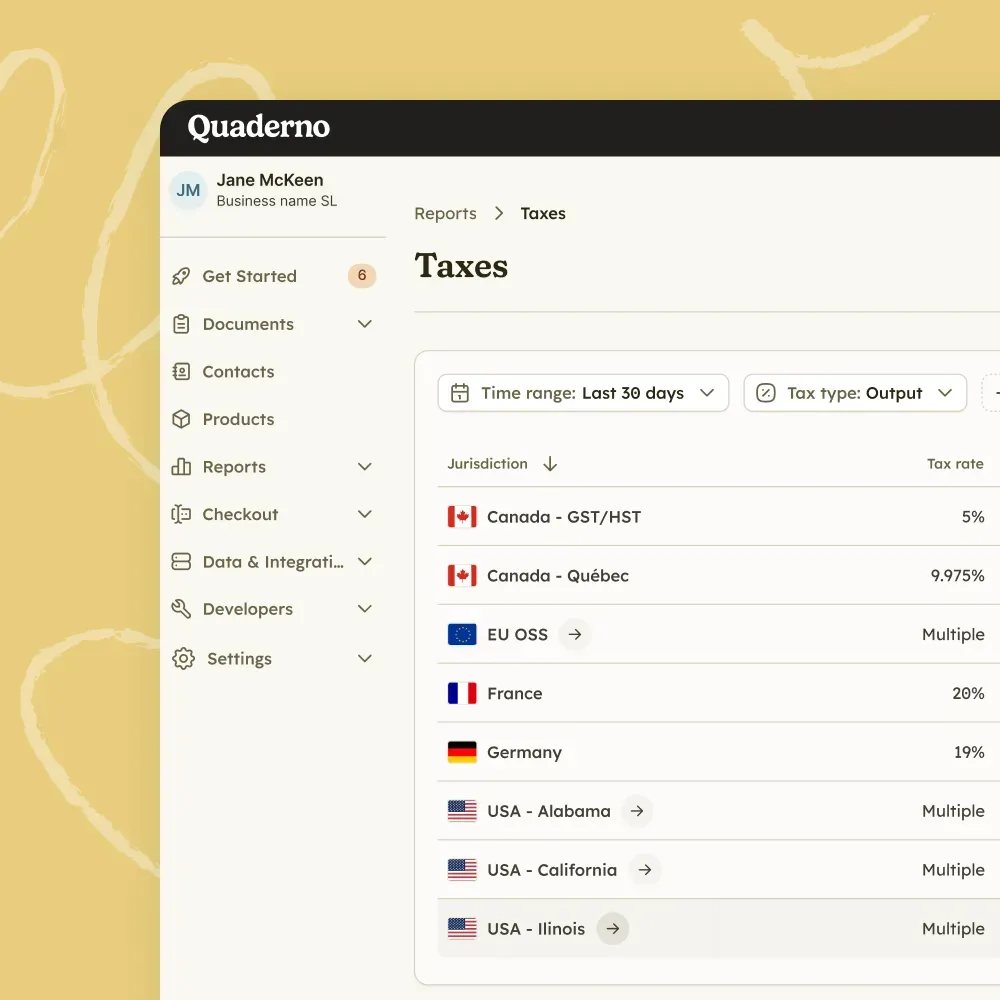
  1. Quaderno tax report listing tax rates for Canada, Québec, the EU OSS, France, Germany, and US states

    The right tax at checkout

    Quaderno uses the billing details LearnWorlds collects to calculate tax directly in your checkout.

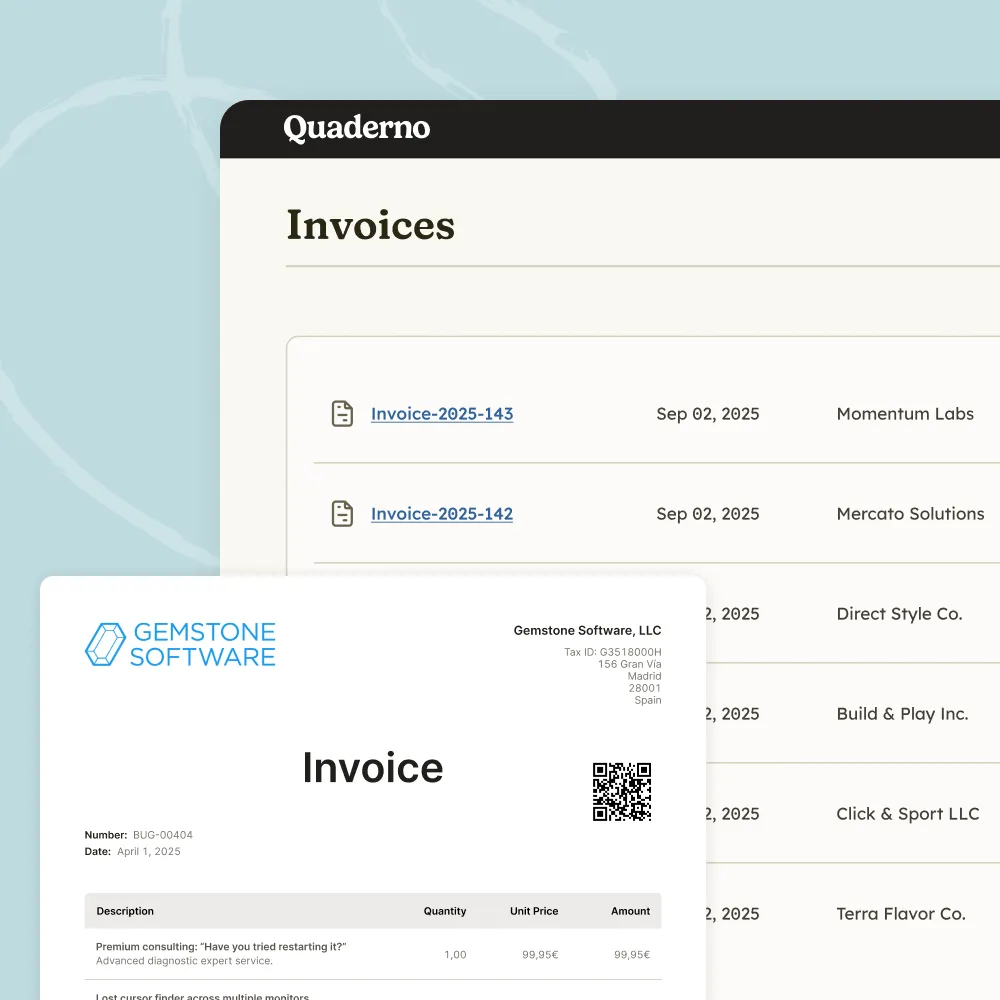
  2. Quaderno invoice list with a tax-compliant invoice preview showing the tax ID and QR code

    An invoice for every sale

    Quaderno generates a tax-compliant invoice for every sale in your school.

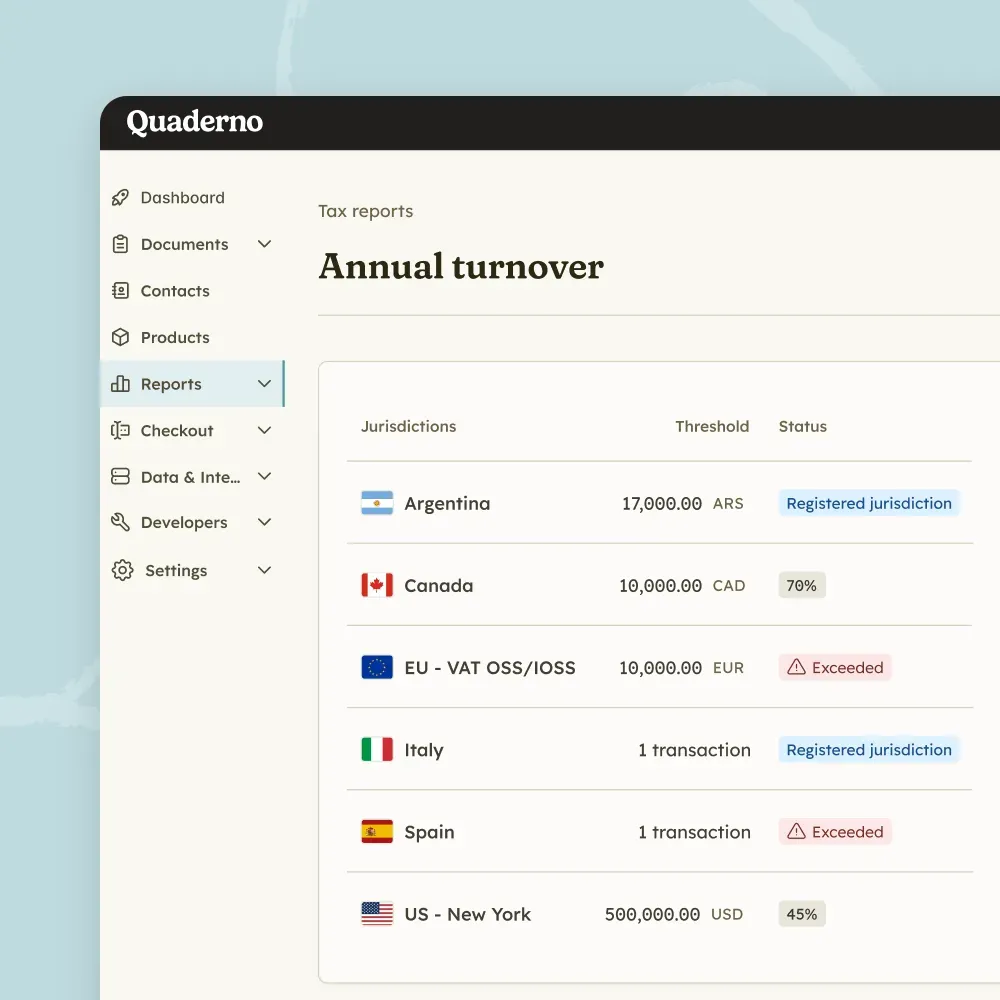
  3. Quaderno annual turnover report tracking VAT and GST thresholds for Canada, the EU OSS, Italy, Spain, and Argentina

    Alerts before you cross a threshold

    Quaderno emails you when you are approaching a threshold in a jurisdiction and when you reach it, so you can register on time.

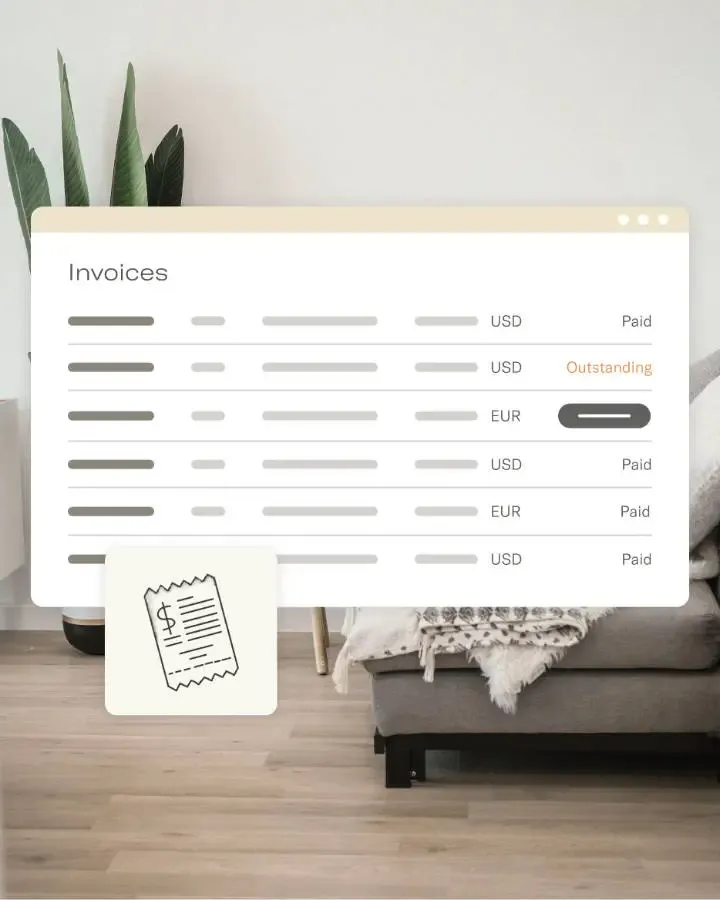
  4. Quaderno invoice list with paid and outstanding invoices in US dollars and euros

    Invoices your students can see

    Turn on the option to fetch Quaderno invoices and display them directly to your students in LearnWorlds.

From LearnWorlds connection to first invoice in three steps

  1. Check your payment processors

    Make sure no payment processors in your LearnWorlds account are already connected to Quaderno, to avoid duplicate invoices.
  2. Connect from LearnWorlds

    Go to Settings, Financial, Tax Management, and click Connect your account to authorize LearnWorlds to access your Quaderno account.
  3. Let invoices run on their own

    LearnWorlds requires billing details at checkout, and Quaderno uses them to calculate tax and generate an invoice for every sale.
Vivir al Maximo Logo

I've been using Quaderno for 8 years, and its integration with payment platforms like Stripe and PayPal automatically generates my invoices with the necessary taxes. It simplifies collaboration with my tax advisor, as he can easily access all the information in my account without any hassle.

Photo of Ángel Alegre
Ángel AlegreFounder, Vivir al Máximo
  • $14B+in global transactions monitored
  • 150+countries covered for nexus, VAT, and GST rules
  • 15+ Hourssaved every month on manual sales mapping

One platform. Complete global tax compliance

LearnWorlds is where sales start. Quaderno covers every tax step that follows, from threshold monitoring to filing.

  1. 01
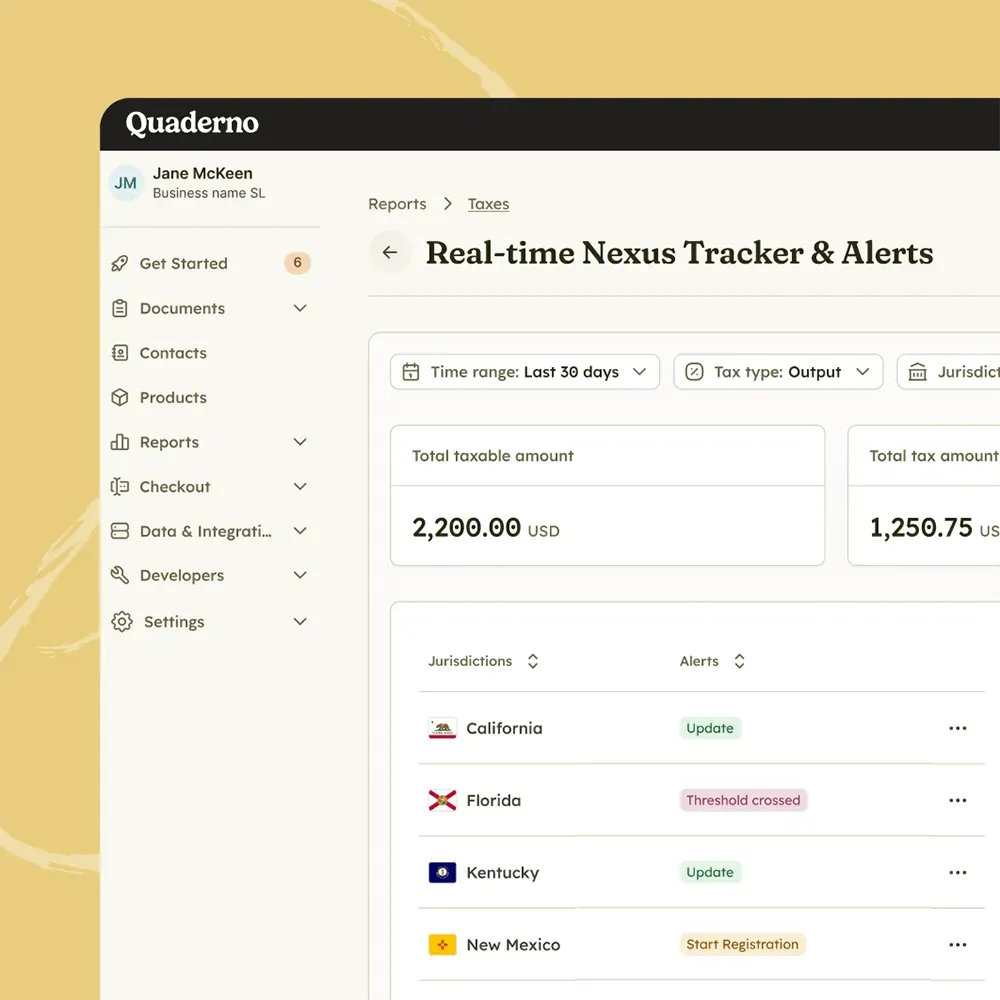
    Quaderno real-time nexus tracker flagging Florida as threshold crossed and New Mexico as ready to start registration

    Monitor

    Anticipate global tax thresholds

    Track sales volume, US economic nexus, and international VAT and GST thresholds in real time, so you never miss a registration deadline.

  2. 02
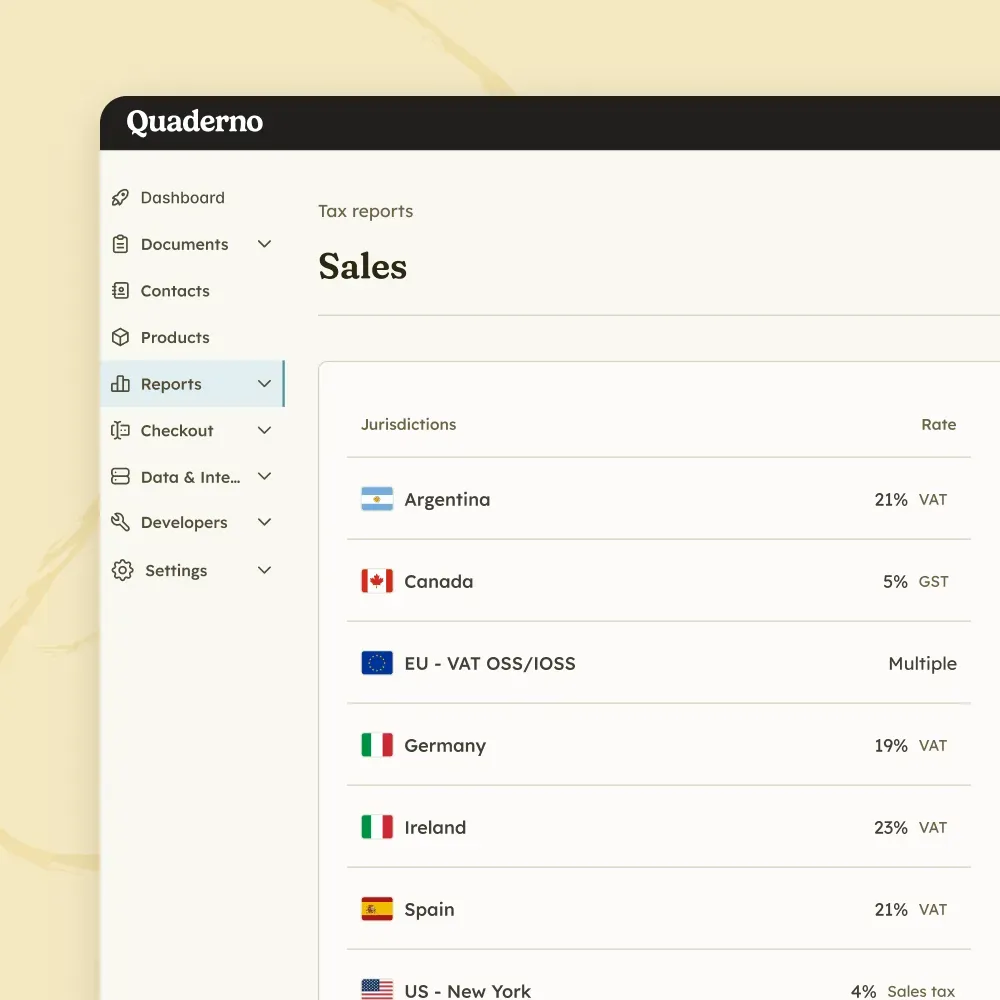
    Quaderno sales report listing the VAT, GST, and sales tax rates applied in Argentina, Canada, the EU, Germany, and Spain

    Tax Engine

    Calculate exact taxes instantly

    Calculate sales tax, VAT, and GST in milliseconds, without adding friction to your checkout.

  3. 03
    Quaderno invoice list with a tax-compliant invoice preview showing the tax ID and QR code

    E-Invoicing

    Clear e-invoicing mandates

    Issue structured digital invoices and send real-time transaction data to tax authorities across Europe.

  4. 04
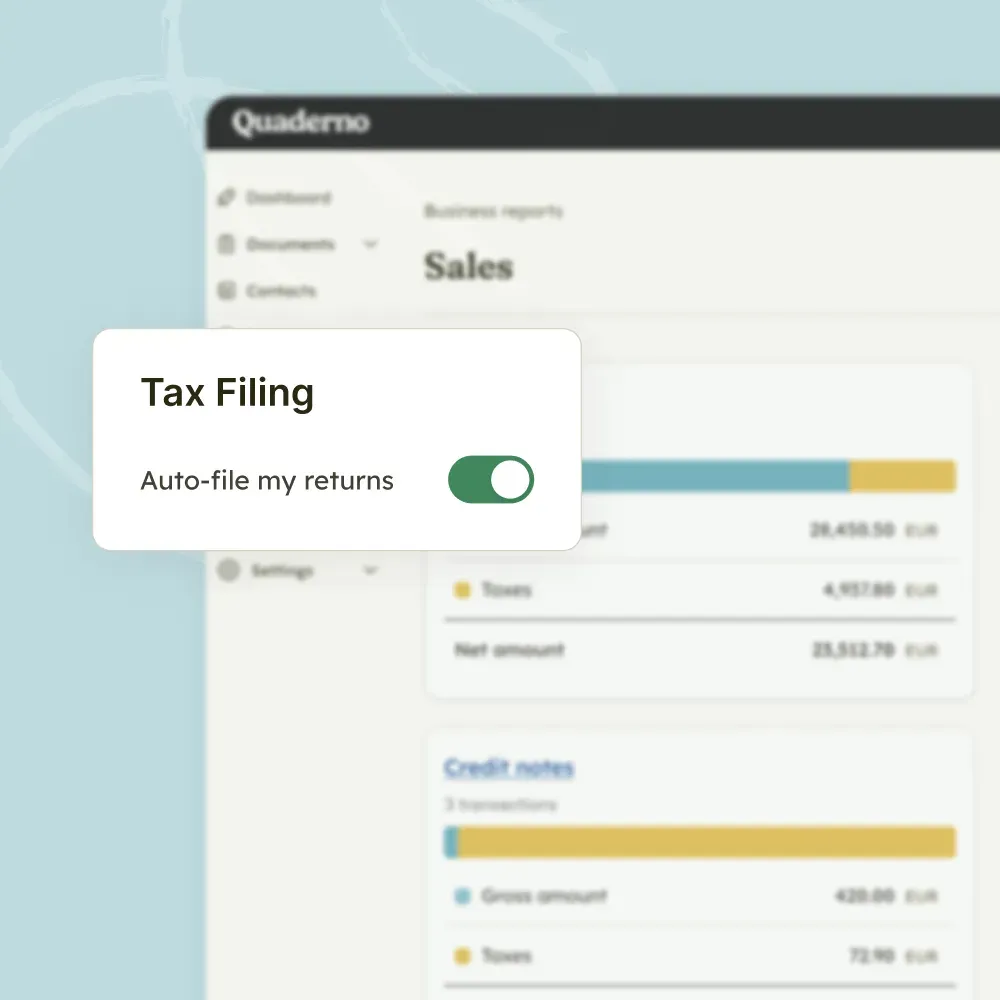
    Quaderno tax filing setting with the Auto-file my returns toggle switched on

    Filing

    Submit audit-ready tax returns

    Turn thousands of transactions into clean, location-specific reports, or let Quaderno file directly with tax authorities.

Frequently Asked Questions

Does Quaderno integrate with LearnWorlds?

Yes. LearnWorlds integrates with Quaderno natively to calculate taxes on your sales. Once connected, Quaderno calculates tax directly in your checkout and generates a tax-compliant invoice for every sale.

Read our LearnWorlds setup guide

Can my prices include tax?

Yes. In Settings, Financial, VAT Management, you can set whether the product price includes taxes (inclusive) or has taxes calculated on top (exclusive).

Why am I getting duplicate invoices?

Make sure no payment processors in your LearnWorlds account are also connected to Quaderno. Otherwise each sale can create two invoices.

What billing details does LearnWorlds collect?

Once connected, LearnWorlds requires billing details at checkout: address, country, postal code, and city. Quaderno uses that data to calculate tax.

Is there a free trial?

Yes. Quaderno offers a 7-day free trial with full access to all features, including the LearnWorlds integration. No credit card is required to start. See all plans and prices.

Stop rebuilding tax records from LearnWorlds exports

Connect LearnWorlds once and every LearnWorlds sale will turn into a compliant invoice, ready for filing.

Schedule a demoStart free trial

7-day free trial · No credit card required